.jpg)


Online Voice Lessons
Real technique, real feedback, from anywhere.
Online Voice Lessons
Distance doesn't have to mean compromise.
Private voice lessons don't require a studio, just a stable connection and the same honest, individualized coaching you'd get in person. Whether you're traveling, living outside Pleasant Grove or South Salt Lake, or simply prefer the convenience of your own space, online lessons cover the same ground: technique, musicianship, and real feedback, week after week.
Online lessons are held Tuesday through Friday, 12:00 to 6:30 pm MST.
What You'll Need
EQUIPMENT
-
A good laptop or device with a working camera (Chromebooks aren't strong enough)
-
A phone that can connect to the bluetooth speaker. You will be playing from a playlist on your phone so we can minimize lag. Please install the App Appcompanist.
-
A Bluetooth speaker for clear audio playback
-
Stable, reliable internet connection
SPACE
Choose a room without background noise or distractions. This includes pets and kids. Privacy is best for singing, and a quiet environment helps the microphone pick up your voice clearly.
LIGHTING
-
Clear at least a 3-foot circle around you so you can stand as in the studio.
-
Place your camera so it shows torso and head (not just your face).
-
Position laptop or camera with a light source behind it (aka like a window or clip on light)
Ready to get started? Book a trial lesson and see what online coaching can do.
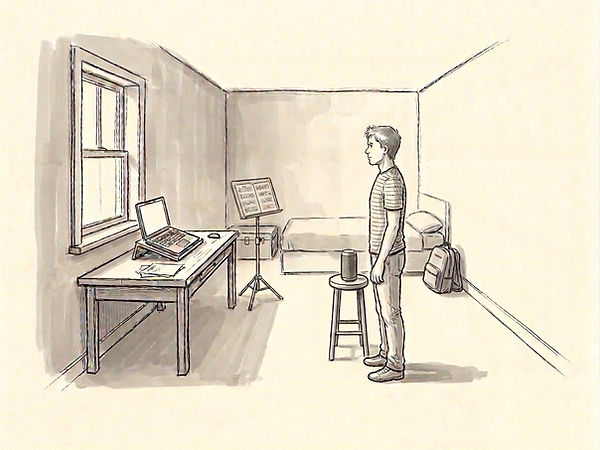
This is just a rough sketch made with Gemini. The main thing is to have a source of light that faces you, not directly above, or behind you, because then it's hard to see. Ideally you'll be close to your microphone as well.
Have additional questions?
We have answers to commonly asked questions here.